
Desktop · Windows and macOS
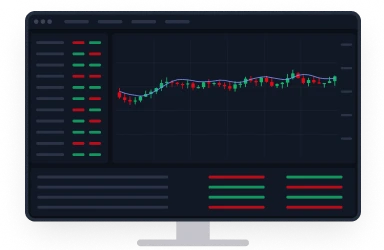
MetaTrader 5 desktop
The full MT5 terminal with Expert Advisors, the Strategy Tester and 38 built-in indicators.

Markets
Five markets.
One account.
Forex, metals, commodities, indices and crypto CFDs from one login.
Not sure which market fits you? Talk to our team, 24/7.
Accounts
Pick your pricing.
Keep the same execution.
Compare Standard, ECN and VIP side by side before you apply.
Compare at a glance
Full comparison| Account | Deposit | Spread |
|---|---|---|
| Standard | $50 | 1.2 |
| ECN For active traders | $500 | 0.0 |
| VIP | $50,000 | 0.00 |
Not sure which market fits you? Talk to our team, 24/7.
Platforms
MetaTrader 5.
Everywhere you trade.
One MT5 login on desktop, in your browser and on your phone.
Not sure which market fits you? Talk to our team, 24/7.
Tools
Plan every trade
before you place it
Trading conditions, hours, calendar, calculators and lessons. All free.
Get started
CalendarNot sure which market fits you? Talk to our team, 24/7.
Company
Transparent by design
Who we are, where we are registered and where we serve clients.
Not sure which market fits you? Talk to our team, 24/7.
Support
Real people.
Ready to help.
Search the Help Centre or talk to our team by chat, email or phone.
Not sure which market fits you? Talk to our team, 24/7.
MetaTrader 5 platforms
RosevaFX runs on MetaTrader 5, the platform millions of traders already know. Install the desktop terminal, open WebTrader in your browser or use the MT5 app: the same account, pricing and execution wherever you log in.
Windows · macOS · Web · iOS · Android
One login · Same pricing on every device
MT5 server Sent with your login details
Access methods
Every option connects to the same MT5 account on the RosevaFX server. Use the desktop terminal for deep analysis and automation, WebTrader on any computer and the app on the move.
The full MT5 terminal with Expert Advisors, the Strategy Tester and 38 built-in indicators.
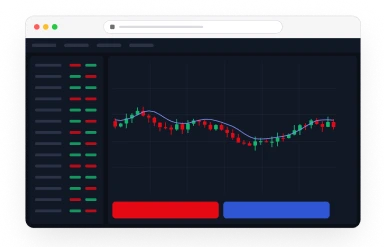
Open MT5 in your browser and trade the same account. Nothing to download, nothing to update.

The official MT5 app for iPhone and Android, linked to your RosevaFX account.
Compare access methods
All three connect to the same account. The desktop terminal adds automation and testing tools that browsers and phones do not support.
System requirements
A summary of what each version needs. Full requirements are on the MetaTrader 5, WebTrader and Mobile pages.
Download and launch
We highlight the version that matches your device, and every other version stays one click away. Installers and store links come only from verified sources.
Windows 10 or later · 64-bit · approx. 60 MB installer
From MetaQuotes
Runs in your browser · Opens in a new tab
App Store · Publisher: MetaQuotes Ltd.
Google Play · Publisher: MetaQuotes Ltd.
Practise with virtual funds on a demo server
FAQ
Need a hand? Our support team can help you install MT5 and connect to the right server.
Contact supportYes. MetaTrader 5 is our trading platform. WebTrader and the MT5 app are other ways into the same MT5 account, not separate products.
Our support team can answer this for you. Contact support
Our support team can answer this for you. Contact support
Our support team can answer this for you. Contact support
Our support team can answer this for you. Contact support